What belongs in a food label date and batch brief?
List the approved field wording, the date or batch value owner, the permitted format, the coding template revision and who checks the first populated pack. Keep the fixed artwork separate from values added during packing. This guide plans the label handoff; the product owner determines shelf life, lot assignment and market-specific wording.
A white box on the label answers where the code can go. It does not answer who supplies the batch value, which template receives it or who checks the first printed pack. Those decisions can fail even when the mark is crisp.
Link the approved field name, data source and populated output before the packing job starts. The brand or production operation owns date logic and lot assignment; this guide does not calculate shelf life or prescribe market-specific date wording.
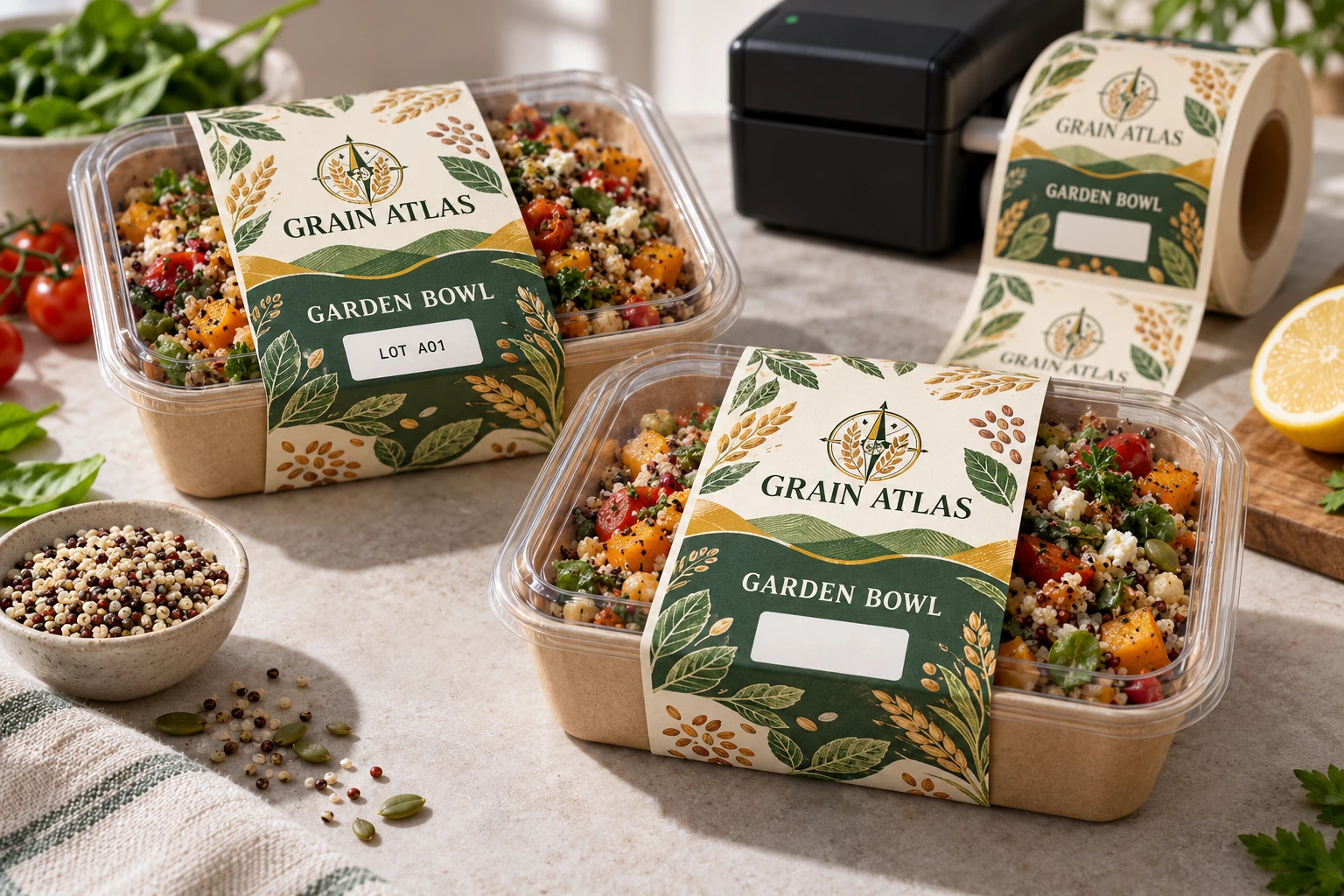
AI-generated packaging planning example. Grain Atlas is a fictional brand; not a customer project, production test or usable retail artwork.
Separate the fixed words from the changing value
Show which text is already printed in the artwork and which value is added later. A field titled packed date is not interchangeable with a different date category just because the available box has the same width. Have the authorized content owner approve the intended meaning for the actual product and market.
| Handoff item | Confirmation needed |
|---|---|
| Field identity | Approved displayed wording and internal field name |
| Value owner | Who assigns the actual batch or date value |
| Source | Controlled record or system used for this packing job |
| Template | Exact coding layout and revision receiving the value |
| Output example | Representative populated field on the final label size |
| First-off check | Who compares output, product and source before release |
Keep a clear demonstration example distinguishable from live data. If a designer uses a sample lot in an artwork mockup, identify it as a placeholder and ensure that production does not inherit it as a default. Do not embed changing values permanently into the decorative file unless that is the specifically approved workflow.
Check formats at their meaningful boundaries
Ask the data owner for representative permitted values, including the longest expected field and any legitimate separator or leading-zero cases. Compare their appearance on the final template. This is a layout check, not permission for the printer to normalize or rewrite the source data.
If a value does not fit, escalate the template or layout question. Shrinking type, dropping a prefix or removing a character can change meaning. The responsible data/content owner should approve the correction before the layout is released.
Keep changeovers tied to the new job
At a product or batch change, use the packer's established clearance process. Compare the first new output with the authorized source instead of relying on the previous job's values remaining in the printer. Record the completed check with the template identity and product reference.
If the source data changes after the first-off, identify the affected quantity and obtain a new authorized check. A readable mark is not proof that every pack in the job received the intended value.
Use the later overprinting guide for surface and ribbon compatibility, co-packer handoff for release ownership and variable-data exception control when individually changing records require reconciliation.
When the printed lot value does not match the authorized source
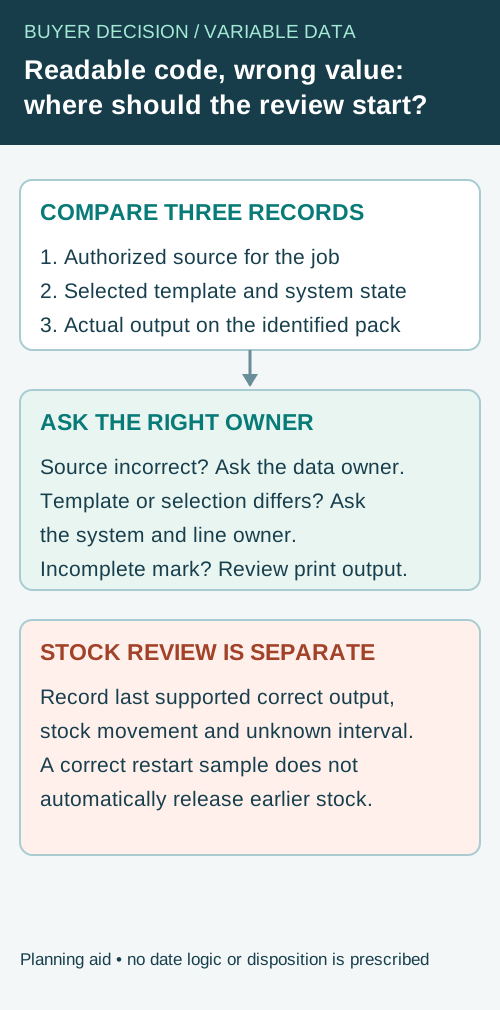
A code can be sharp and readable while carrying the wrong value. If a mismatch is observed after the first-off check, keep three objects separate: the authorized source value for the job, the coding template or system state used at the station, and the value actually printed on the identified pack. The operational question is which evidence can bound the affected stock and who is authorized to make the next decision.
Use the packer's established hold and investigation procedure. Preserve the affected pack and its job, time or sequence reference where available. Do not change the source record merely to make it agree with a print that has already occurred. Likewise, do not adjust date logic or choose a replacement lot value from this guide; the responsible product and data owners determine the actual meaning.
| Evidence item | Record without rewriting history | Question for the responsible owner |
|---|---|---|
| Authorized value | Source record, job and revision as they were released | Was this the correct value for the actual product and run? |
| Coding configuration | Template, selected job, system state and known changes | What was selected when the affected output was produced? |
| Observed output | Identified pack, printed characters, photo and observation point | Is the physical mismatch confirmed against the source? |
| Last confirmed correct output | Identified pack or reliable recorded check and its scope | What earlier point is supported by evidence? |
| Subsequent material movement | Case, pallet, hold and any manual rework records available | Which finished stock is known, and which interval remains uncertain? |
| Recovery | Corrected source or template authorization and the next checked output | Who confirms the line may continue, and under what procedure? |
Trace the mismatch to the right question
For an illustrative packing run, the approved lot source might contain a leading zero while a printed sample omits it. That difference can be meaningful if the authorized format treats it as part of the value. Ask the data owner to confirm the real field and format; do not decide that two values are equivalent because they look similar. This example supplies no real lot number and does not establish the cause of an observed error.
If the source record is wrong, the data owner must resolve it. If the source is correct but a template or selection produced different output, the relevant system or line owner should investigate that interface. If the characters are incomplete because of a physical printing problem, retain that observation and consult the printing process owner. More than one issue can be present; a single pack does not prove which step caused the discrepancy.
Keep stock review separate from line restart
After a correction, compare the next output with the authorized source and record the check under the site's procedure. That check establishes what was observed at recovery; it does not prove that every earlier case carried the right value. Where pack-level tracking is missing, an event time or nominal line speed alone may not establish a precise case boundary. The responsible quality owner decides what stock to hold and review based on the actual records.
The front/back pairing guide addresses a different mismatch between printed components. The barcode verification guide separates decoded data from symbol-quality evidence. For a label or coding-area inquiry, provide the approved field name and format, redacted example, template reference, package and the specific data or output question still open. Actual date logic, lot assignment and product disposition remain with the responsible business.
Short answer
Reserve date code and lot number space before label printing, especially when the code changes by batch. The area should be readable, high contrast, away from tight curves and compatible with the marking method used after the labels are printed.
Where date and lot codes usually go
The best location depends on the package and how the label is applied. A back label often gives more room for batch information, while small front labels may need a dedicated blank box or line. Avoid placing code areas across a strong curve, seam or fold.
- Back label panel for jars, bottles and sauces.
- Bottom or side area on food boxes and sandwich packs.
- Blank white panel on dark or colorful designs.
- Near barcode or product information when scanning and review happen together.
Code area planning table
| Package type | Common code area | What to avoid |
|---|---|---|
| Jar or bottle | Back label, side panel or small blank box. | Tight curves, label edges and textured glass. |
| Sandwich or takeaway pack | Flat top label or side label field. | Wrinkles, lid seams and areas touched during opening. |
| Bakery box | Seal label, side sticker or back information label. | Fold lines and surfaces that flex during closing. |
| Pouch or bag | Back label or lower front field. | Heat seal zones, folds and glossy areas with poor marking contrast. |
Readable codes need contrast and space
Small text can fail when the code is placed over artwork, gradients or dark backgrounds. A simple white or light field can make later marking easier to see. If the package uses clear film, confirm whether the code field needs white ink behind it for readability.
What to confirm before proof approval
| Field | Requirement to confirm |
|---|---|
| Code type | Best-before date, packed date, roast date, batch code or lot number. |
| Marking method | Handwriting, stamp, thermal printer, inkjet or separate sticker. |
| Label position | Front, back, side, lid, seal area or wraparound panel. |
| Production setup | Roll direction, co-packer requirement, SKU count and extra setup labels. |
Related guides
For full label layout planning, read food label layout requirements. For barcode spacing, review barcode and QR code labels. If a co-packer applies the labels, use the co-packer label checklist.
Retain an identified example of the accepted populated output with the job record. A later discussion can then distinguish a changed template from a changed source value rather than relying on somebody's memory of the previous pack.
Send the relevant project details
Discuss a label with later-added data with dimensions, fixed artwork, redacted field examples, coding method and quantities. Identify the data owner and the template question to resolve. The form opens an email draft; use listed email or WhatsApp for files. Actual date logic, batch identity and product wording need approval from your responsible operation.