The new label reaches the packing line while the product page still shows the old package. A buyer compares the delivered item with the listing and asks whether the product changed. The artwork team has completed its file, but the physical and digital versions have moved on different schedules.
Connect packaging revisions to the product-image release. Identify which stock will be sold, what the images represent and when each channel changes. A new pack photograph should follow a controlled version decision rather than become another file called final.
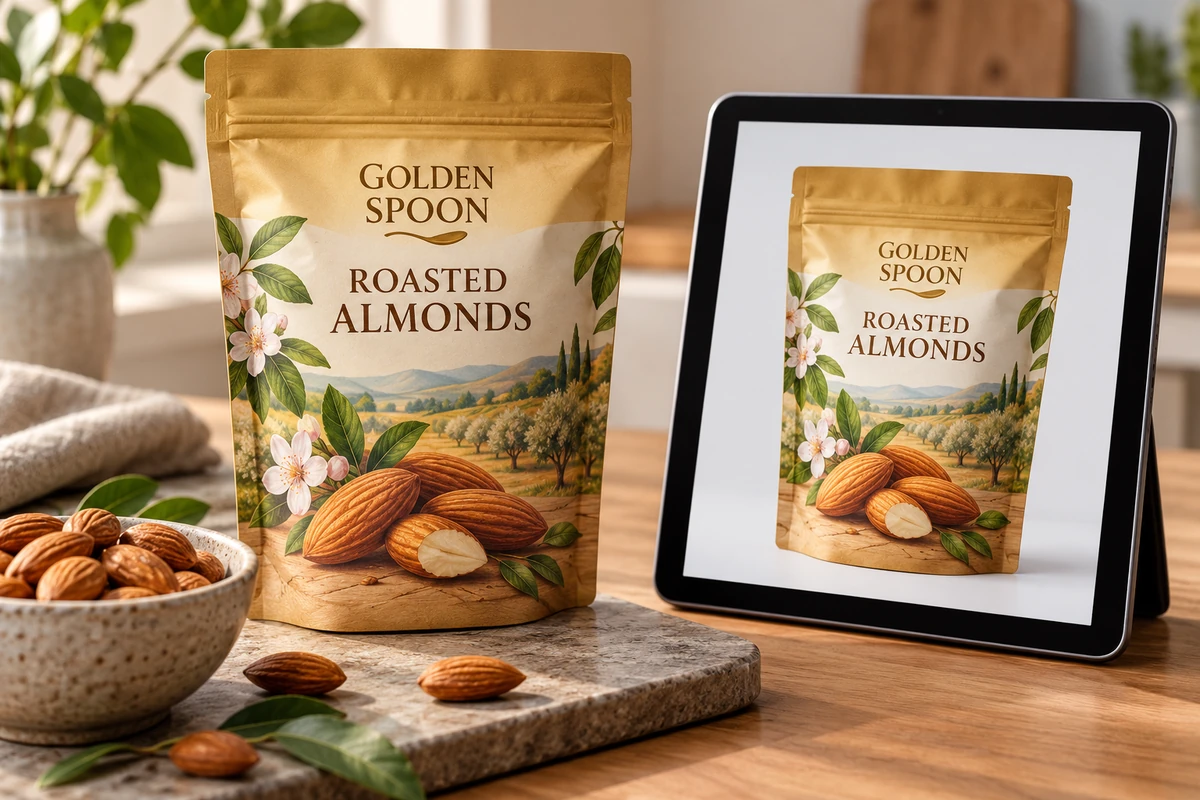
Define what changed before updating the picture
A visual refresh, a new container size and a changed product statement can affect different parts of the listing. Ask the responsible product and market owners what the change means for the physical offer. Do not let the photography team decide product equivalence from appearance alone.
Record the approved artwork revision, container and relevant SKU identity. Include front, back and secondary labels where they affect the information shown. A front-image update can leave an old back-panel photograph displaying a superseded version.
The multi-SKU artwork guide tracks a shared change through files. The image task tracks the consumer-facing representations that were created from those files or packages.
Map the places where pack images are used
Include the website, marketplaces, retailer assets, sales sheets, distributor catalogues and any other active channel under your control. Identify the owner and update mechanism for each. A brand may control its own page directly while another channel requires a submitted asset package and processing time.
Keep rendered mockups and photographs distinguishable. A render can illustrate a proposed package, but it should not be described internally as a photograph of released production. For an image representing the current product, confirm the sample and version it actually shows.
Do not claim that updating one central folder automatically updates every retailer. Record the handoff and confirmation for the systems your business uses.
Build a pack-image change register
| Field | Information needed |
|---|---|
| Physical version | SKU, container, artwork revision and relevant production boundary |
| Image identity | Asset filename, creation method and represented sample |
| Views affected | Front, back, side, detail and complete-pack images |
| Channel | Location, owner and submission requirement |
| Supporting copy | Descriptions or specifications requiring separate review |
| Release instruction | When the new asset may replace the earlier one |
| Transition note | Approved handling of mixed old/new stock where applicable |
| Confirmation | Published asset checked and earlier version archived |
The register is an editorial coordination tool. It does not determine legal product identity, retailer policy or the acceptability of selling mixed versions. Those decisions need the responsible owners and applicable requirements.
Photograph an identifiable approved sample
Before a shoot, confirm whether the sample is a mockup, pilot or released production item. Record its artwork and container references. If a detail is provisional, keep the resulting asset under review rather than let it enter the live product library unmarked.
Check that the visible package matches the approved cut, label placement and component set. A photography sample assembled from an old bottle and a new front label can be visually persuasive while representing a combination the business will never ship.
The proof approval guide separates content and physical evidence. An approved digital proof does not by itself establish that the photographed construction or finish is production accurate.
Coordinate the transition with stock availability
Ask when the new physical version becomes available and whether earlier stock remains authorized for sale. The image owner needs a clear instruction from the product and inventory owners. Updating too early may show a pack that cannot yet be supplied; updating too late may create confusion about the delivered version.
Where a channel allows a transition explanation, obtain approved wording that accurately describes the situation. Do not invent a universal packaging-may-vary disclaimer or assume it resolves material product differences.
For a hypothetical almond range, a decorative front refresh might have a different transition route from a changed size or ingredient statement. The same image workflow can track both, but the approval basis is different.
Check content that images cannot safely carry alone
A back-label image may be too small for a reader to inspect. The relevant product-information owner should decide what text or specifications the channel must provide independently. Do not assume that photographing mandatory information satisfies every online-selling requirement.
The food-label layout guide addresses copy capacity on the physical pack. Online presentation adds another medium and needs its own review rather than a direct copy of the print approval.
Keep accessibility and usability in mind when preparing image descriptions. Describe what the picture actually shows; avoid adding certification, performance or origin claims unsupported by the represented product and evidence.
Verify the published asset
After replacement, open the actual channel page and check the views, crop and version. A successful upload does not establish that the public page uses the intended image. Cached assets or a mismatched variant selection can leave the old or wrong pack visible.
Record the checked URL, date and result. If a retailer has not processed the new asset, keep that channel pending rather than mark the whole project complete. Archive the old asset with its represented revision so it remains understandable without being picked as current.
Keep the next revision connected
Add image review to the artwork-change handoff. The trigger should name the changed SKU and affected views, not simply tell marketing that packaging is updated. That small link makes later changes easier to track and gives customer service a reliable explanation of what the current image represents.
Send a packaging-version brief with the approved label revision, container, intended photography sample and the physical release boundary. Identify any component still provisional. The form opens an email draft; review it and attach the controlled files through email or the listed WhatsApp route.