Choose peel-and-present when the actual printer configuration supports it and the proposed label construction separates and remains usable for the operator to pick. Keep tear-off output when the accepted task is to take a printed strip and peel labels by hand later. A roll that prints correctly has not yet demonstrated the required presentation, and a software mode name does not establish that the necessary hardware is fitted.
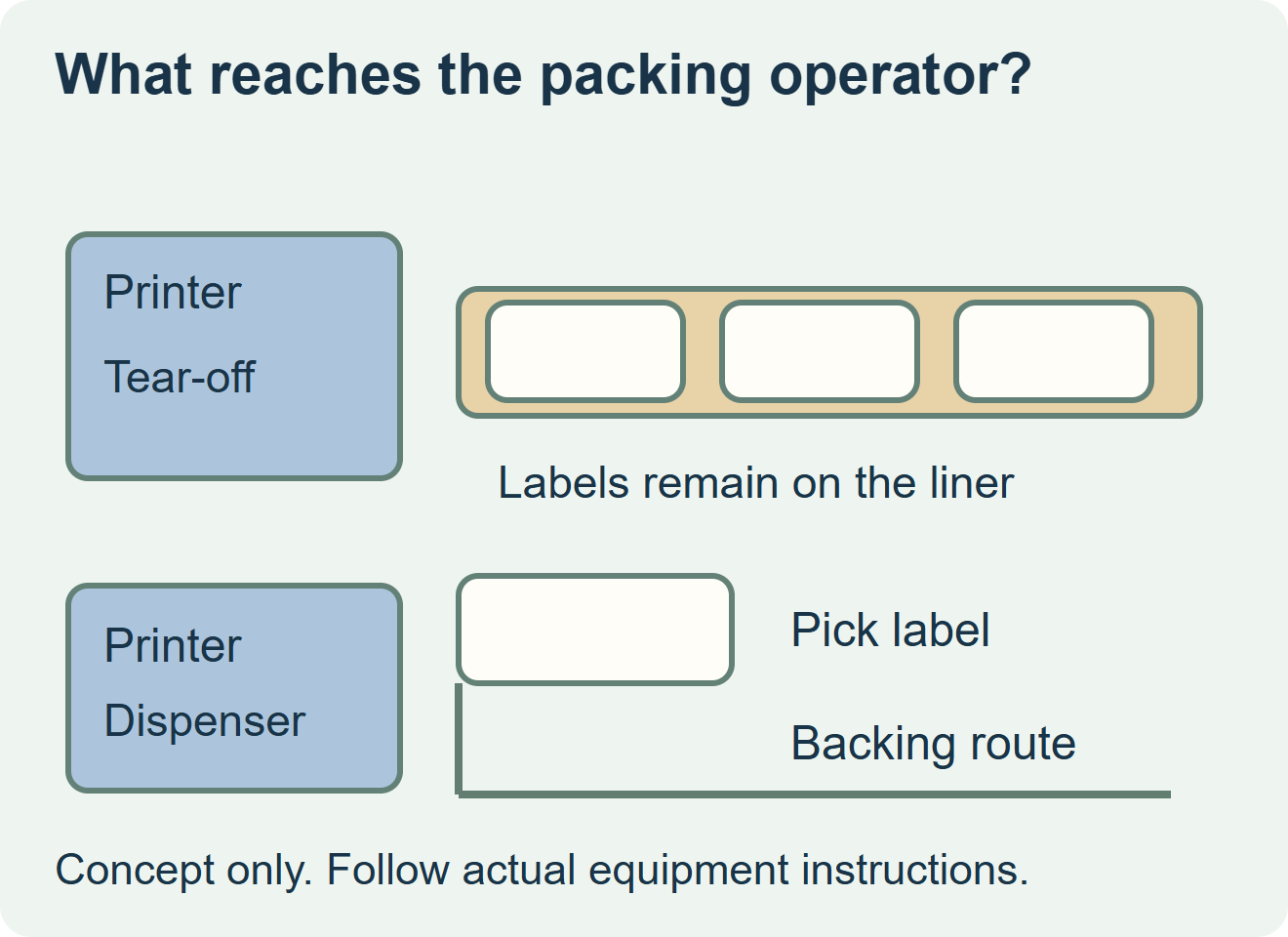
Specify the state in which the label reaches the operator
In a lined tear-off workflow, the printed labels remain on their backing for subsequent removal. With a supported dispenser workflow, the label and backing separate at the printer output so the operator can take the presented label. This is a purchasing distinction about delivered media and the output task, not an instruction for threading or modifying a printer.
SATO’s PW208NX print-mode documentation distinguishes tear-off from dispenser operation and identifies dispenser availability for the PW208NX. Its dispenser example positions the next label after the printed label is removed. That is a model-specific example; use the current instructions for the actual installed printer and option.
| Packing requirement | Tear-off and later manual peeling | Supported peel-and-present |
|---|---|---|
| A strip is needed for a later task | Retain identity and sequence on the backed strip. | An exposed presented label may not suit that handoff. |
| Operator takes one label at the printer | Include the manual peel step in the observed work. | Evaluate whether the actual label is presented and can be picked cleanly. |
| Supply specification | Confirm the accepted media and printed-strip handling. | Confirm the accepted media, installed dispenser and backing-handling arrangement. |
| Evidence before ordering | Representative printed strip and complete manual application task. | Representative print, present, pick and apply sequence on that configuration. |
Treat the liner as part of the proposal
Identify the face, adhesive and release liner together, along with the label repeat drawing and finished size. The printer owner should confirm the relevant media limits for the installed option. A familiar label size, clean print or detected gap does not by itself establish release through the dispenser.
Ask the converter and equipment owner to evaluate the same proposed supply. If a label remains with the backing, curls into an unusable shape or cannot be controlled during picking, record that output rather than approve the roll from its printed appearance. The observation does not identify a root cause by itself. A different liner, face or shape needs review against the accepted combination; do not turn an unqualified handling change into a material substitution.
Observe the whole bench task with representative labels
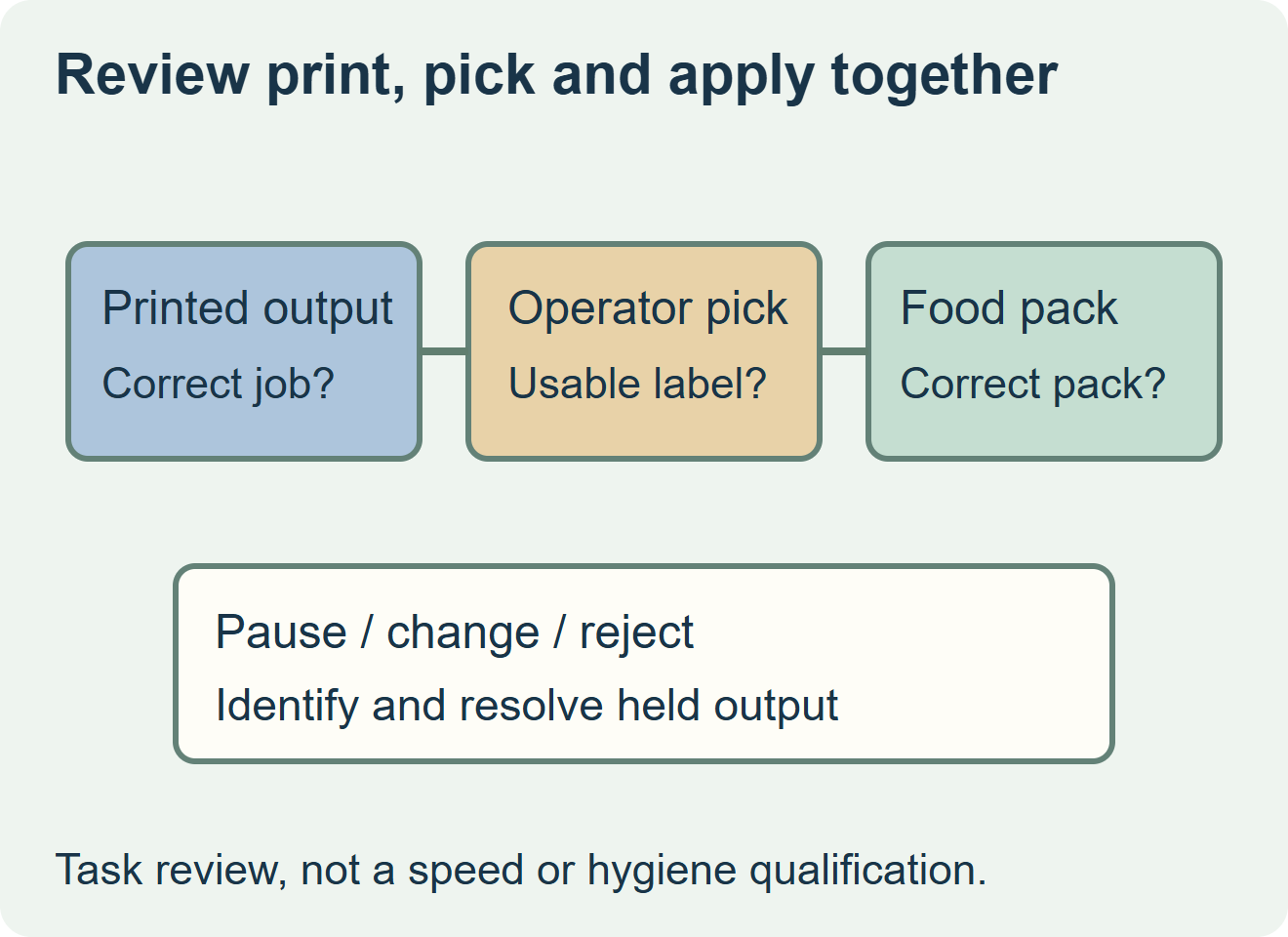
For a hypothetical chilled-meal packing bench, the operator prints a product/date label and applies it to the correct filled tray. Observe the proposed output with the normal gloves and package condition. Does the operator receive a backed strip or an individual presented label? Can the label be taken, aligned and applied without an unintended fold or touch to the bonding area? These are task observations, not claims that one mode is faster or more hygienic.
Include the ordinary pause and change between jobs in the agreed evaluation. Identify what happens to an already printed or presented label when the operator stops or rejects it. Keep held output separate until its identity and intended pack are resolved. A device pausing for label removal does not validate the product/date value, identify the next food pack or guarantee that the operator applies the label correctly.
Keep the output decision separate from adjacent choices
A cutter separates a supplied web; it does not necessarily peel the adhesive label from its backing. An external manual dispenser may help with an already printed roll, but it is a separate arrangement from an installed printer dispenser. Fanfold describes the input supply. None of those names alone confirms this printer’s supported peel-and-present output.
Retain the configuration, exact media reference, sample output and accepted operator sequence with the label order. If the printer has no confirmed dispenser route, price the established manual-peeling workflow or ask the equipment owner about a supported alternative before ordering for an assumed feature. ZFU’s supply scope, trial format and compatibility remain subject to project confirmation; this comparison makes no equipment, speed or cost-saving promise.
Discuss the unresolved label requirement
Send printer model and installed dispenser configuration, proposed face/adhesive/liner reference and repeat drawing, label size, quantities, required printed output and the actual food pack/application conditions. Review food label options and prepare a label specification inquiry. The contact page opens an email draft and lists email or WhatsApp for attachments. Supply, proof options, testing, pricing and timing require project confirmation.